> For the complete documentation index, see [llms.txt](https://honeyland-player-guides.gitbook.io/honeyland-player-guides-docs/llms.txt). Markdown versions of documentation pages are available by appending `.md` to page URLs; this page is available as [Markdown](https://honeyland-player-guides.gitbook.io/honeyland-player-guides-docs/the-game/general-player-guides/hivemind-website-player-guide.md).
# Hivemind Website - Player Guide
HiveMind is the website companion to the Honeyland Game. You can access it at .
### List of HiveMind Features
* Activating (staking) assets
* My Activity - You must have purchased a monthly Season Pass this month or hold a Permanent Pass to access this feature - see your game-play activity stats
* Upgrade Recommender - do a hard refresh (control f5) if you don't see this
* View, filter, and/or export a list of your Honeyland assets
* Compare assets to other assets
* View the complete stats and other details of each Honeyland Collectible
* View your current VIP point total
* Deposit HXD
* View your in-game HXD balance
* See your start date
* Enable/Disable 2FA
* Purchase Beemium
* View your WAX balance
* Purchase WAX
* Interact with your friends list
* Manage squads
* View leaderboards
* View stats and token prices
* Add your ETH wallet to your profile (for possible airdrops)
### Activating (Staking) using HiveMind
You can use HiveMind to activate (stake) Honeyland assets, such as Queens, Bees, Lands, and Passes. Assets must be staked in order to use in the game and receive applicable ownership benefits.
\
To stake assets:
* Visit
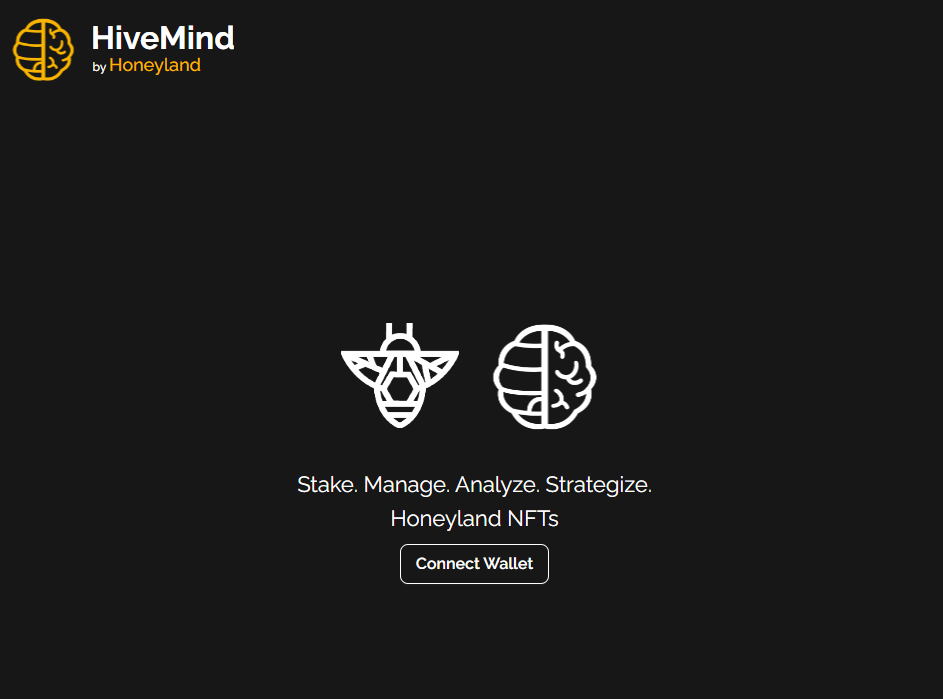
* Click on the “Connect Wallet” button to connect your wallet
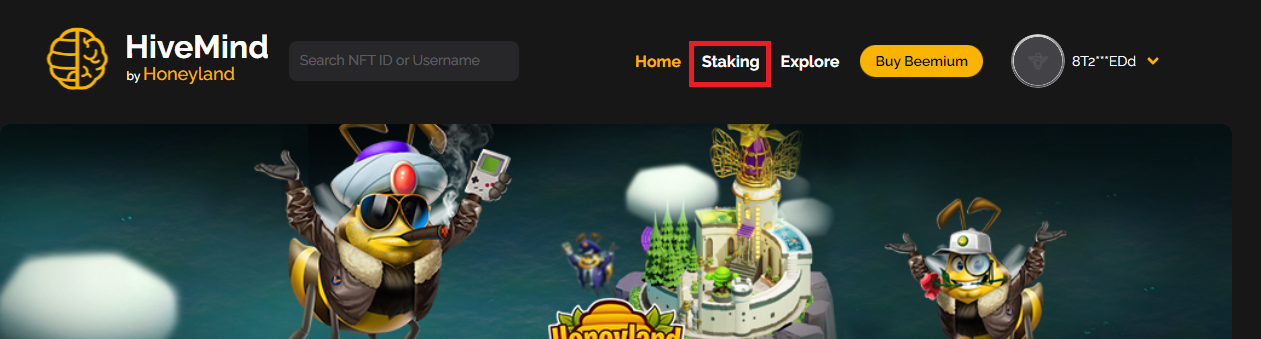
* When connected, click on “Staking” in the top right corner
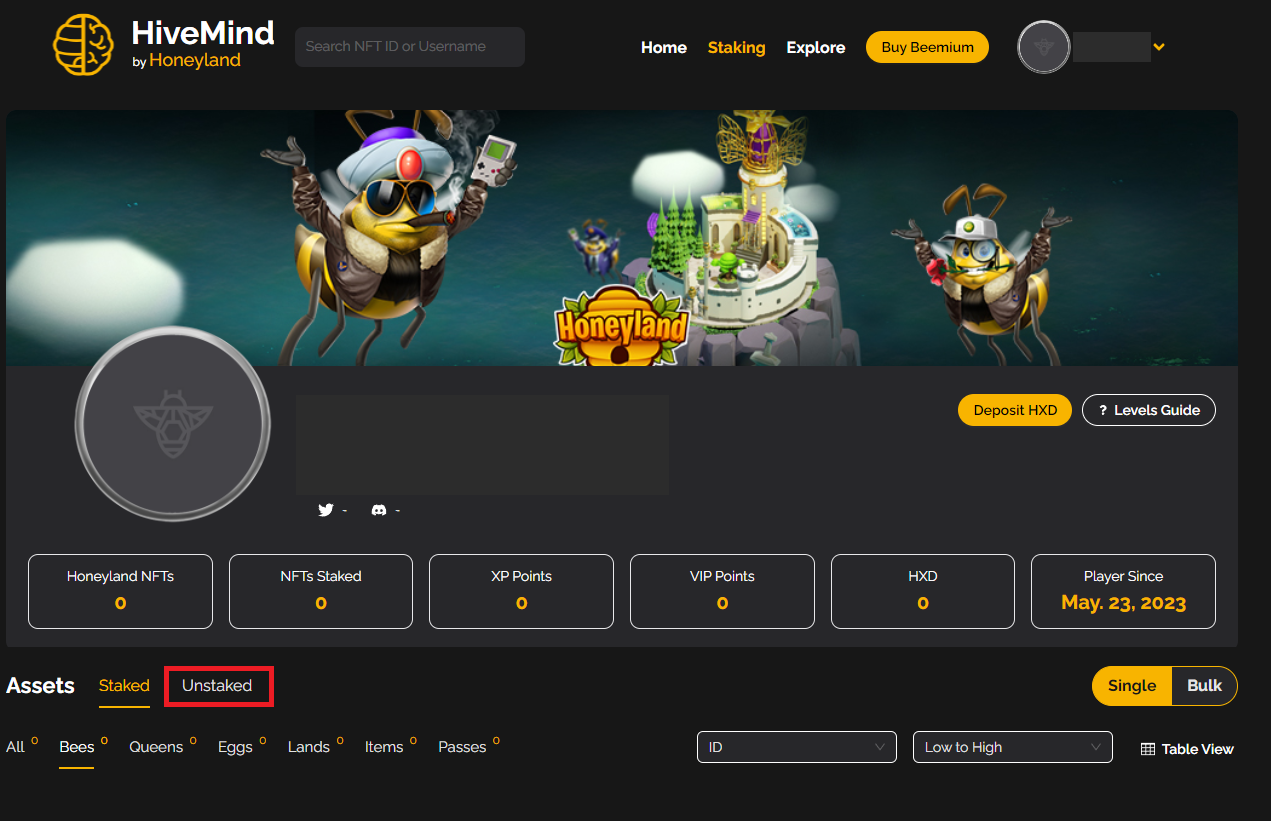
* On the staking page, click on “Unstaked” to get a list of all your unstaked assets
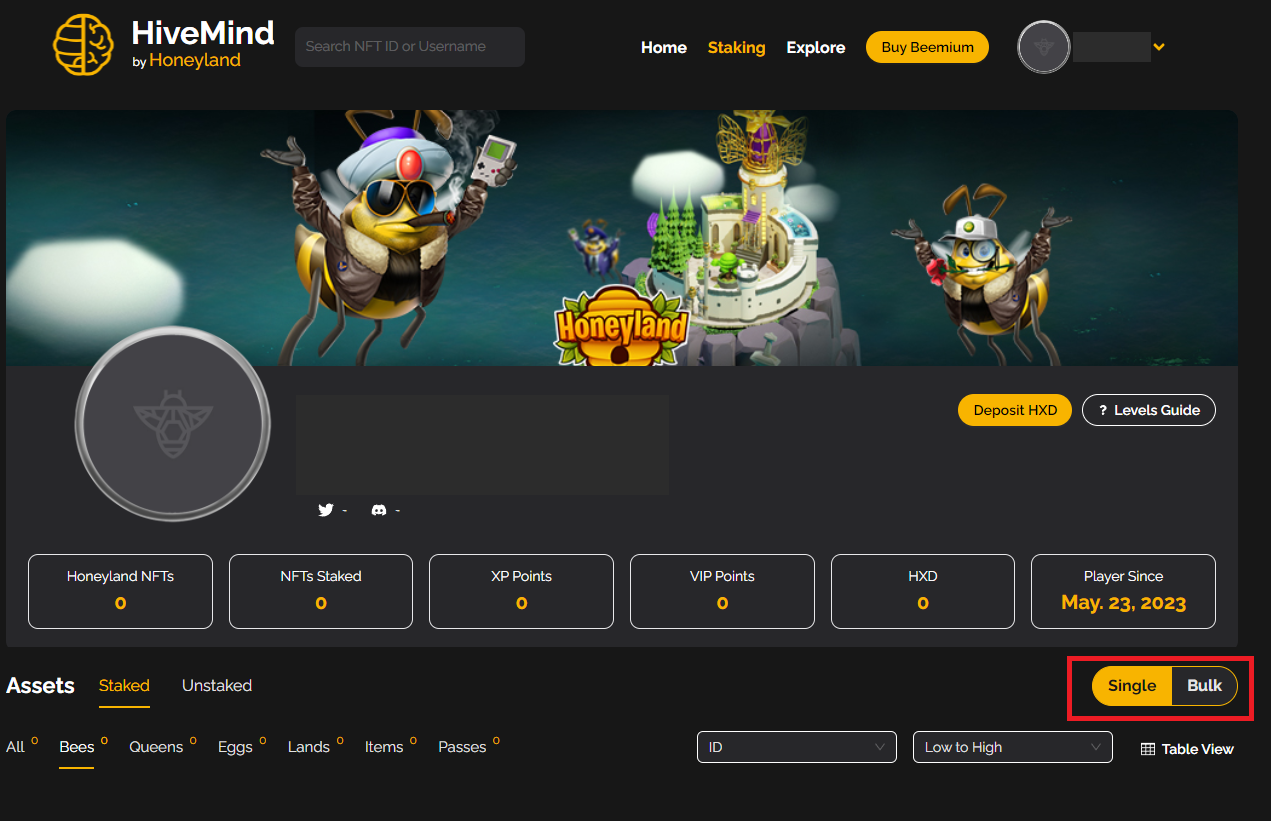
* Click either "stake" (to stake a single asset) or "bulk" (can stake up to 10 assets per transaction) button
* Select each of the assets you want to stake
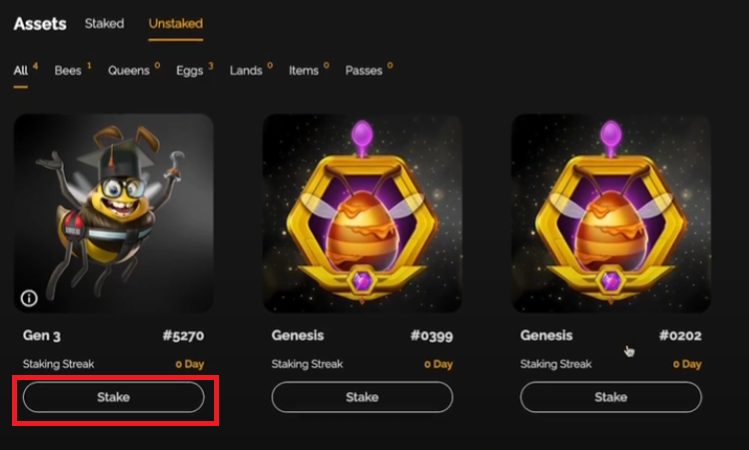
* Click the "Stake selected" button
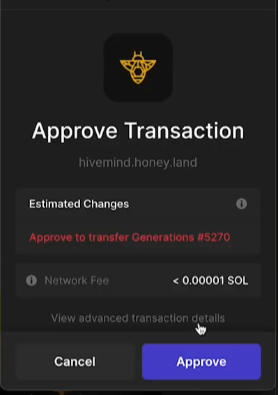
* Approve the transaction in your wallet
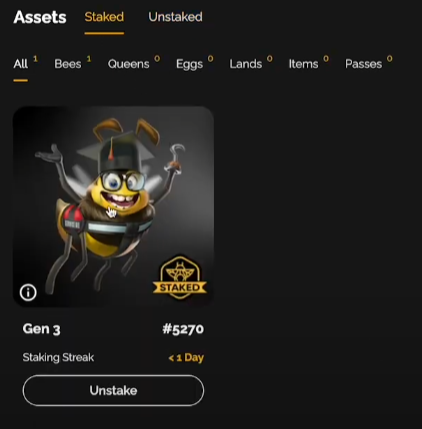
* Navigate to the "Staked" tab where you will find your newly staked assets. You can now use your staked assets in the Honeyland game
### My Activity
You must have purchased a monthly Season Pass this month or hold a Permanent Pass to access this feature.
Just below the top section of on your HiveMind home screen, you will see the My Activity button.
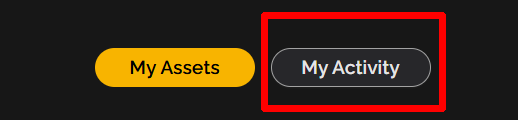
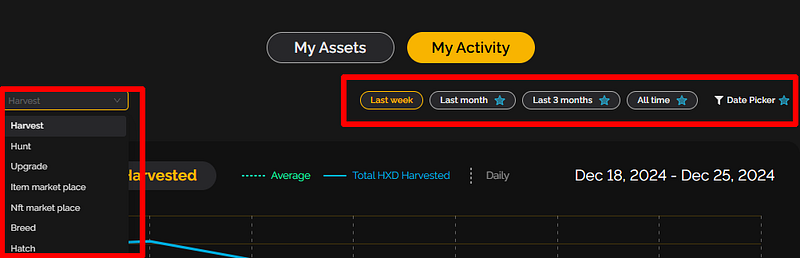
Choose the activity (via the drop down menu on the left) and time frame you would like to view.
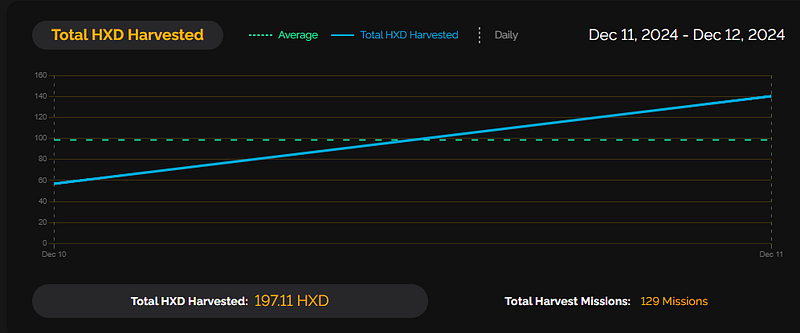
In this example, you can see the Harvests for two days.
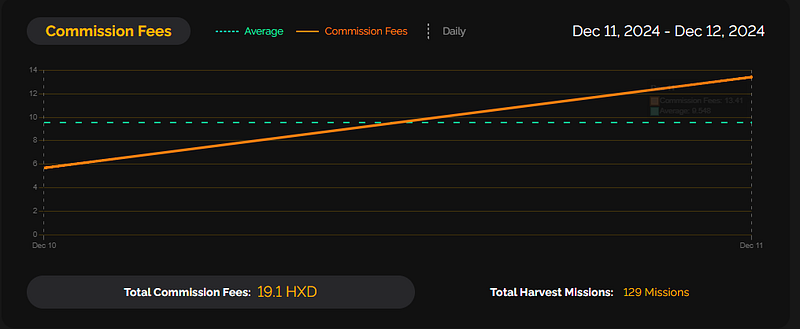
And the commissions paid for those Harvests.
### **Upgrade Recommender**
Choose any Bee to view its stats and other details. On the right side, you will see the Upgrade Recommender button.

Pick the attribute. In this example we are using Endurance.
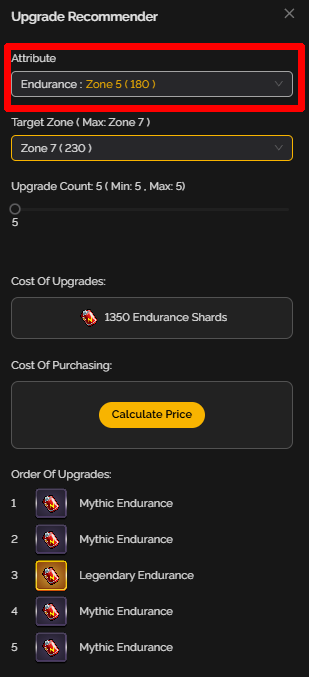
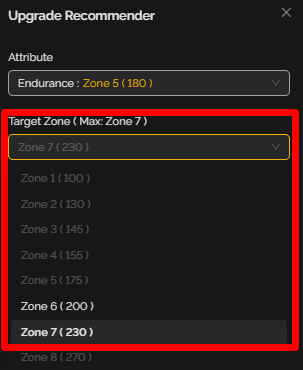
Pick the target. This Bee only have 5 upgrade slots left, so the highest zone he can be upgraded to using Upgrades is Zone 7.
Tap Calculate Price.
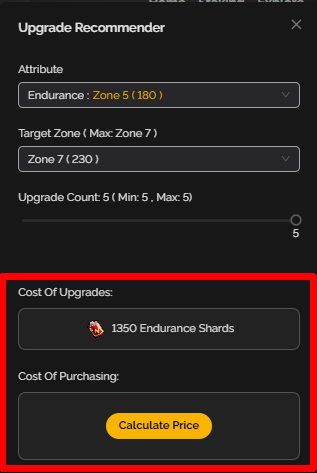
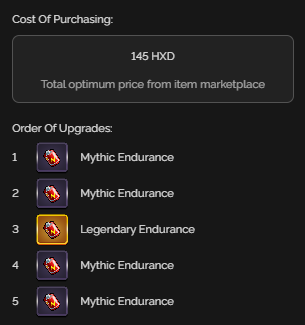
At the time of this example, this would be the price to purchase the needed upgrades from the Item Marketplace and the order they should be applied.
---
# Agent Instructions
This documentation is published with GitBook. GitBook is the documentation platform designed so that both humans and AI agents can read, navigate, and reason over technical content effectively. Learn more at gitbook.com.
## Querying This Documentation
If you need additional information that is not directly available in this page, you can query the documentation dynamically by asking a question.
Perform an HTTP GET request on the current page URL with the `ask` query parameter:
```
GET https://honeyland-player-guides.gitbook.io/honeyland-player-guides-docs/the-game/general-player-guides/hivemind-website-player-guide.md?ask=
```
The question should be specific, self-contained, and written in natural language.
The response will contain a direct answer to the question and relevant excerpts and sources from the documentation.
Use this mechanism when the answer is not explicitly present in the current page, you need clarification or additional context, or you want to retrieve related documentation sections.